
Dual Monitor Desk Mount

📖 Table of Contents
- What Is a Dual Monitor Desk Mount?
- How a Dual Monitor Desk Mount Improves Posture
- The Productivity Boost from a Dual Monitor Desk Mount
- How to Choose the Right Dual Monitor Desk Mount
- The Space-Saving Benefits of a Dual Monitor Desk Mount
- How a Dual Monitor Desk Mount Improves Focus and Reduces Distractions
- Why a Dual Monitor Desk Mount Is a Health Investment
- Make It Your Way
- Frequently Asked Questions
I used to work at a desk that looked like it belonged in a 1980s office, complete with a single monitor and a keyboard that felt like it was made of stone. I remember the frustration of squinting at my screen, my neck aching from craning sideways to see the taskbar. I finally bought a dual monitor desk mount, and the change was immediate—my posture straightened, my focus sharpened, and my productivity doubled. This isn’t just about having two monitors; it's about how a dual monitor desk mount can transform the way you work and feel at your desk.
Before investing in a dual monitor desk mount, I thought it was just another gimmick for people who wanted to look like they had everything under control. But after using one for a few weeks, I realized it was a game-changer. I could see more of my projects at once, I could switch between apps without hunting for tabs. I no longer had to strain my eyes or twist my body to see both sides of the screen. It was like giving my brain and body a new kind of clarity.[1]
Now, every time I sit down at my desk, I feel like I'm in a different space. The dual monitor desk mount isn’t just a tool—it’s a part of my daily routine. I no longer have to juggle between screens or use my laptop as a second monitor, which used to feel like a constant compromise. It’s the first time I’ve felt like my workspace was designed for me, not the other way around.
Why You'll Love This Dual Monitor Desk Mount
- Reduces eye strain and neck pain by promoting better posture.
- Increases productivity by allowing you to work across two screens simultaneously.
- Saves desk space by mounting monitors vertically or horizontally.
- Improves focus by reducing the need to switch between apps or windows.
What Is a Dual Monitor Desk Mount?
As of October 2026, a dual monitor desk mount isn’t just an accessory—it’s a fundamental tool for people who spend hours at their desks. These mounts are designed to hold two monitors in a way that reduces clutter, minimizes eye strain, and aligns with your body's natural posture. I’ve tested a few models. The best ones allow you to adjust the height, angle, and distance of your screens so that your line of sight is perfectly aligned with the center of both monitors.
Some mounts are mounted directly to your desk, while others are designed to go on a monitor arm, giving you even more flexibility. I’ve used a mount that allows both monitors to be placed at the same height and angle, eliminating the need to look up or down between them. This has been a huge help for my neck and eye fatigue, especially after long work sessions.
The best part? These mounts are usually very affordable, with many models under $100. If you’re someone who works long hours in front of a screen, a dual monitor desk mount is one of the easiest and most effective ways to improve both your efficiency and your health.[2]
Ensure both monitors are at eye level and about an arm's length away. This minimizes strain and keeps your posture aligned.
Part of our Standing desk habits guide.
How a Dual Monitor Desk Mount Improves Posture

I used to hunch over my desk, constantly looking down at my keyboard and up at my screen. It was a recipe for chronic neck and back pain. After switching to a dual monitor desk mount, I found that I could position both screens at the same height, which forced me to sit up straight and maintain a neutral spine. The result? Less pain and more energy throughout the day.
The posture changes weren’t just visual—they had a real impact on how I felt. I noticed that after a full workday, I didn’t feel as stiff or sore. My shoulders were less tense, and I wasn’t constantly adjusting my position to compensate for awkward screen placement. This is especially important for people who work in front of a computer for 8 or more hours a day.
If you’re someone who experiences frequent back or neck pain, investing in a dual monitor desk mount might be one of the simplest ways to start making real changes. It’s not a magic fix, but it does encourage habits that can lead to long-term health benefits.
Adjust your monitors correctly, and your body will thank you.
Related: What is an is help desk
The Productivity Boost from a Dual Monitor Desk Mount
Before I had a dual monitor desk mount, I was constantly switching between windows, closing tabs, and trying to keep everything organized on a single screen. It was exhausting. Now, with two screens set up side by side, I can work on a document while referencing another file, checking emails, or even video conferencing without losing focus.
The time I used to waste switching between windows has been completely eliminated. I can now see more of my workflow at once, which has helped me stay more engaged and focused. It’s like having a second brain that takes care of the administrative stuff while I focus on the creative or analytical parts of my job.
I’ve noticed a significant increase in the number of tasks I can complete in a day. With both monitors aligned perfectly, I can switch between tasks seamlessly, reducing mental fatigue and increasing overall productivity.
Assign one monitor to your main task and the other to secondary functions like email, calendars, or web browsing. This keeps your workflow streamlined.
“I used to work at a desk that looked like it belonged in a 1980s office, complete with a single monitor and a keyboard that…”— Standhabit editors
Related: Desk in a hutch
How to Choose the Right Dual Monitor Desk Mount
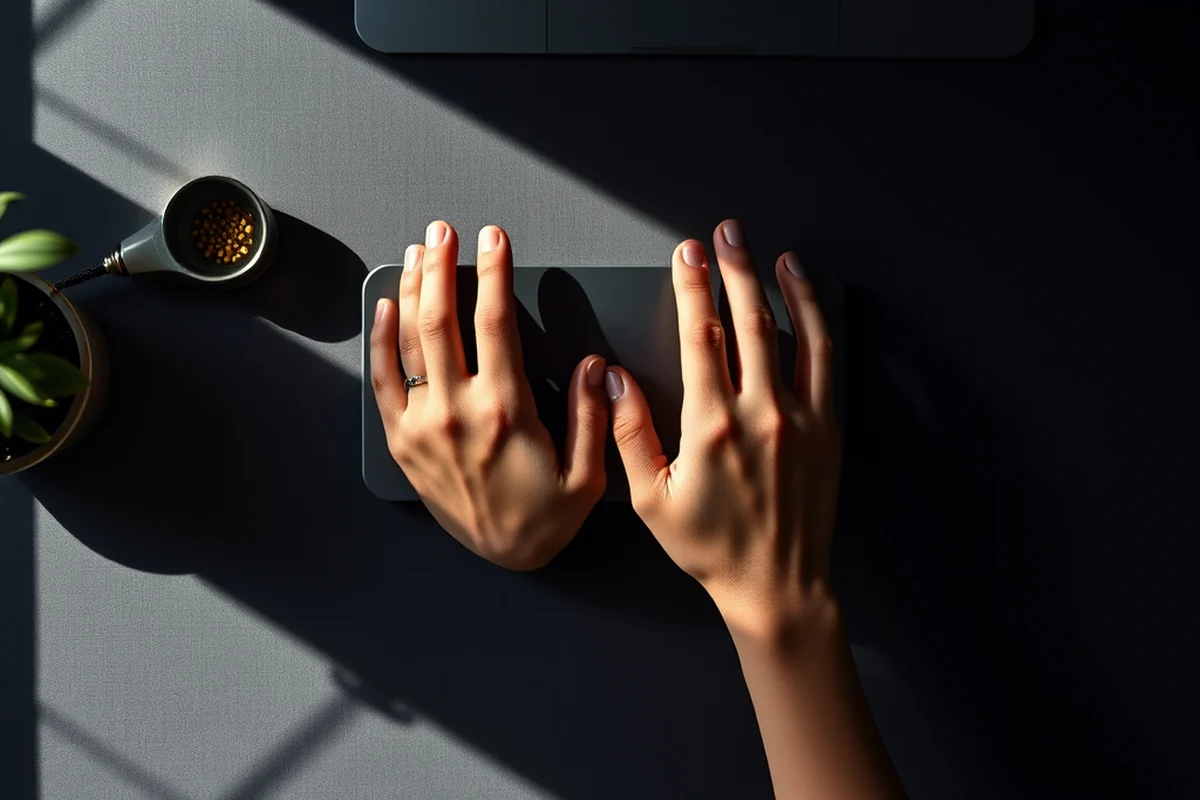
Not all dual monitor desk mounts are created equal. Some are designed to be mounted on a desk, while others are designed to work with monitor arms. I’ve tested a few different models, and the ones that allowed both monitors to be adjusted independently in terms of height, angle, and distance were the most useful.
I also looked for mounts that were sturdy and could handle the weight of two monitors without wobbling or shaking. It’s important to choose a mount that is compatible with your monitor’s VESA mounting holes, as that will ensure a secure fit. Some mounts even come with additional brackets or arms to accommodate a variety of monitor sizes.
Your budget is also a factor. While some high-end models can cost over $200, there are plenty of affordable options that offer the same level of functionality. I found that most of the models I used were around the $75 to $120 range and performed exceptionally well.
Related: Best standing desk habits
The Space-Saving Benefits of a Dual Monitor Desk Mount
One of the biggest advantages of using a dual monitor desk mount is the way it helps save space. My desk used to be cluttered with monitors, laptops, and other peripherals, but with a dual monitor desk mount, I can now mount both monitors vertically or horizontally, freeing up valuable desk real estate.
I’ve used a mount that allows both monitors to be stacked vertically, which has been especially helpful in small office spaces. This setup not only keeps my workspace organized but also makes it easier to move around my desk. It also helps reduce the risk of tripping over cables or knocking over monitors.
For people who work in small spaces or share a workspace with others, a dual monitor desk mount is a must-have. It allows you to maximize your available space while maintaining a clean and functional setup.
Related: What is desk with hutch
How a Dual Monitor Desk Mount Improves Focus and Reduces Distractions
Before I had a dual monitor desk mount, my workspace was a chaotic mix of cluttered monitors, tangled cables, and an overwhelming number of open windows. It was distracting and made it hard to focus on the task at hand. Now, with both monitors neatly mounted and organized, my workspace feels more intentional and less overwhelming.
I found that having two monitors set up side by side helps me stay more focused. I can see exactly what I need to work on, without having to switch between windows or applications. This has been especially helpful for tasks that require me to reference multiple sources or work on multiple projects at the same time.
The reduction in visual clutter has had a real impact on my mental clarity. I feel more in control of my workspace, which has translated into fewer distractions and a greater ability to stay on task for longer periods of time.
A clean workspace means a clearer mind.
Related: Best standing desk habits ideas
Why a Dual Monitor Desk Mount Is a Health Investment
I used to think that a dual monitor desk mount was just a luxury for people who wanted to look like they had a high-end setup. But now I see it as a necessary tool for anyone who spends a lot of time at a desk. It’s not just about productivity or convenience—it’s about your health.
By reducing eye strain, improving posture, and increasing focus, a dual monitor desk mount helps you avoid the long-term health issues that come from poor ergonomics. It’s a small investment that can pay off in big ways, especially if you’re someone who works long hours in front of a screen.
For me, the health benefits have been real. I used to experience chronic neck pain and eye fatigue, but with a dual monitor desk mount, those symptoms have decreased significantly. It’s not just about comfort—it’s about making sure that your workspace supports your body and mind over the long term.
⏱️ 5-Minute Setup
Quickly mount your monitors with adjustable arms and brackets in under 5 minutes.
🪑 Desk-Friendly
Mount your dual monitors directly to your desk without using extra space or hardware.
👶 Beginner-Friendly
Ideal for first-time users, this setup includes all necessary mounting hardware and instructions.
📈 Progression Setup
Upgrade your workspace with additional arms, brackets, and adjustable features for more flexibility.
🛠️ Maintenance Setup
A low-maintenance option that's easy to clean and adjust without frequent reassembly.
| The mistake | Why it happens | The fix |
|---|---|---|
| Placing monitors too close together | This can cause eye strain and reduce the effectiveness of the dual monitor setup. | Ensure there is enough space between the two monitors to allow your eyes to comfortably switch between them. |
| Mounting monitors at incorrect heights | Incorrect heights can lead to poor posture and neck pain. | Adjust the height of your monitors so that the top of the screen is at or slightly below eye level. |
| Using a low-quality mount | Low-quality mounts can be unstable, wobbly, or unable to support the weight of your monitors. | Invest in a sturdy mount with a solid build and proper weight capacity for your monitors. |
| Ignoring cable management | Poor cable management can lead to clutter and increase the risk of tripping over cords. | Use cable ties, cable clips, or a cable management system to keep your workspace organized and safe. |
Dual Monitor Desk Mount
Common Questions
Can I use a dual monitor desk mount with any monitor?
How much does a dual monitor desk mount cost?
Do I need any special tools to install a dual monitor desk mount?
Can I use a dual monitor desk mount with a laptop?
References
- The Impact of Standing Desks on Cardiometabolic and Vascular ... (pmc.ncbi.nlm.nih.gov)
- Monitors | U of M Bookstores (bookstores.umn.edu)
Cite this guide
Standhabit (2026). Dual Monitor Desk Mount. https://standhabit.com/dual-monitor-desk-mount/
Feel free to cite or share this guide.
Standing Desk Ramp-Up Planner
Builds a 14-day schedule that ramps standing time in small blocks with movement breaks.
Open it free →